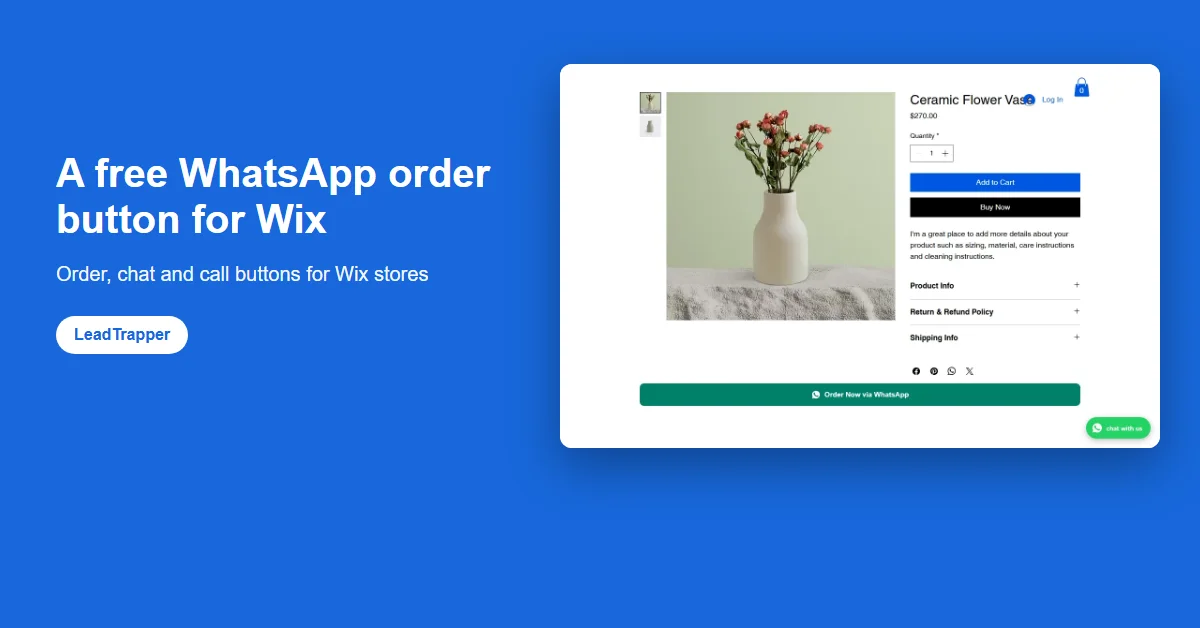
Install the free WhatsApp Order & Chat Button by LeadTrapper from the Wix App Market. It adds an Order via WhatsApp button to product pages that opens WhatsApp with the product, price and link written, a floating chat or call button and an orders dashboard.
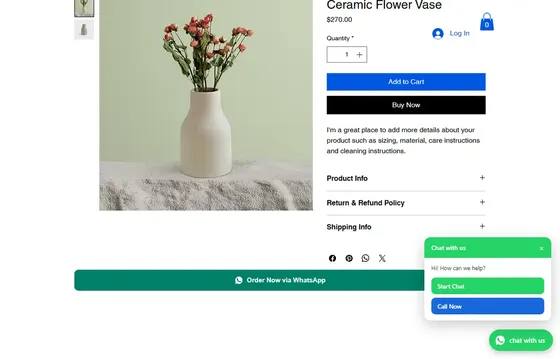

Order button on product pages, chat and call button, order messages, COD confirmation and abandoned-cart reminders.
- Order via WhatsApp button on every product page
- Floating chat and call button on your whole site
- COD confirmation and abandoned-cart reminders, free
- Wix's own way to add WhatsApp is a button linked to a wa.me address or the WhatsApp channel in Wix Chat. Neither tells you which product the shopper wants.
- The free WhatsApp Order & Chat Button by LeadTrapper adds an Order via WhatsApp button to Wix Stores product pages. One tap opens WhatsApp with the product name, price and page link already written.
- It also adds a floating button on every page that opens a chat, calls you, or offers both, styled to fit your site, and a dashboard of orders and button clicks.
- Connected to the free LeadTrapper app for Windows, it sends order confirmations and cash-on-delivery checks from your own WhatsApp number, with no Business API.
- The button is a small script with no extra fonts or files, sized so the page does not jump when it appears.
To add a WhatsApp order button to your Wix store, install the free WhatsApp Order & Chat Button by LeadTrapper from the Wix App Market, enter your WhatsApp number once in its Settings, and add the “Order via WhatsApp” plugin to your Product Page in the Editor. Shoppers then tap one button and WhatsApp opens with the product name, price and link already written. The same app adds a floating chat or call button to every page.
What the video shows:
- 0:00 Why Wix stores lose WhatsApp orders
- 0:12 Free WhatsApp order button for Wix
- 0:27 WhatsApp chat & call button + automatic order messages
- 0:40 Cash on delivery confirmation, payment & shipping updates
- 0:54 Abandoned cart reminder, fake numbers & STOP list
- 1:07 Leads dashboard, free, no WhatsApp API: how to add it
Video transcript
Your customer is ready to buy, but they want to ask you on WhatsApp first. And cash-on-delivery orders nobody confirms cost you shipping for nothing. Meet WhatsApp Order & Chat Button, a free app for your Wix store. Add an Order on WhatsApp button to your product pages: the message already has the product, the price and the link. Plus a floating chat or call button on every page. Connect the free LeadTrapper app for Windows and every order gets a WhatsApp message from your own number. Cash on delivery? Your customer replies 1 to confirm or 2 to cancel, and the answer appears in your dashboard. Then payment received, and shipped with a tracking link. Left the checkout? One friendly reminder brings them back to their cart. Fake numbers get flagged, and anyone who replies STOP never hears from you again. Every order, answer and click in one place, and you can download it as a spreadsheet anytime. No monthly fee, no WhatsApp Business API. On the Wix App Market, search LeadTrapper and add it free.
Three Ways to Add WhatsApp to Wix
Wix gives you two built-in routes. You can drag a normal button onto the page and link it to https://wa.me/ followed by your full number, as Wix’s own help page describes. Or, if you use Wix Chat, you can switch on WhatsApp as a channel in its settings. Both work for “contact us”. Neither knows which product the shopper is looking at, so the conversation starts with “Hi, I want the one in the picture” and a round of questions.
The third route is an app. The Wix App Market lists dozens of WhatsApp apps, most of them chat buttons. The WhatsApp Order & Chat Button by LeadTrapper is built for ordering: a button on each product page that sends the product details with the message, plus a chat button, plus order tracking. The comparison of WhatsApp apps for Wix sets it side by side with the others.
The Order Button on Product Pages
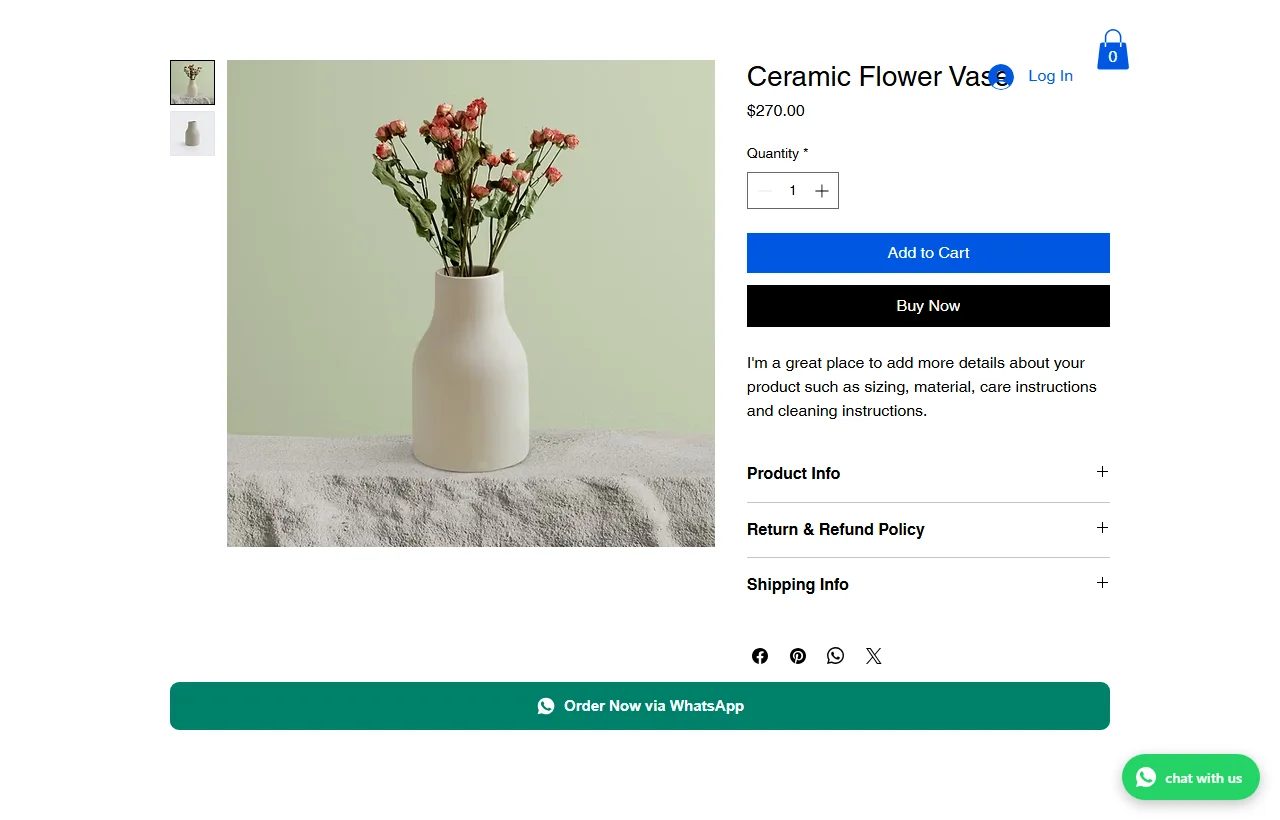
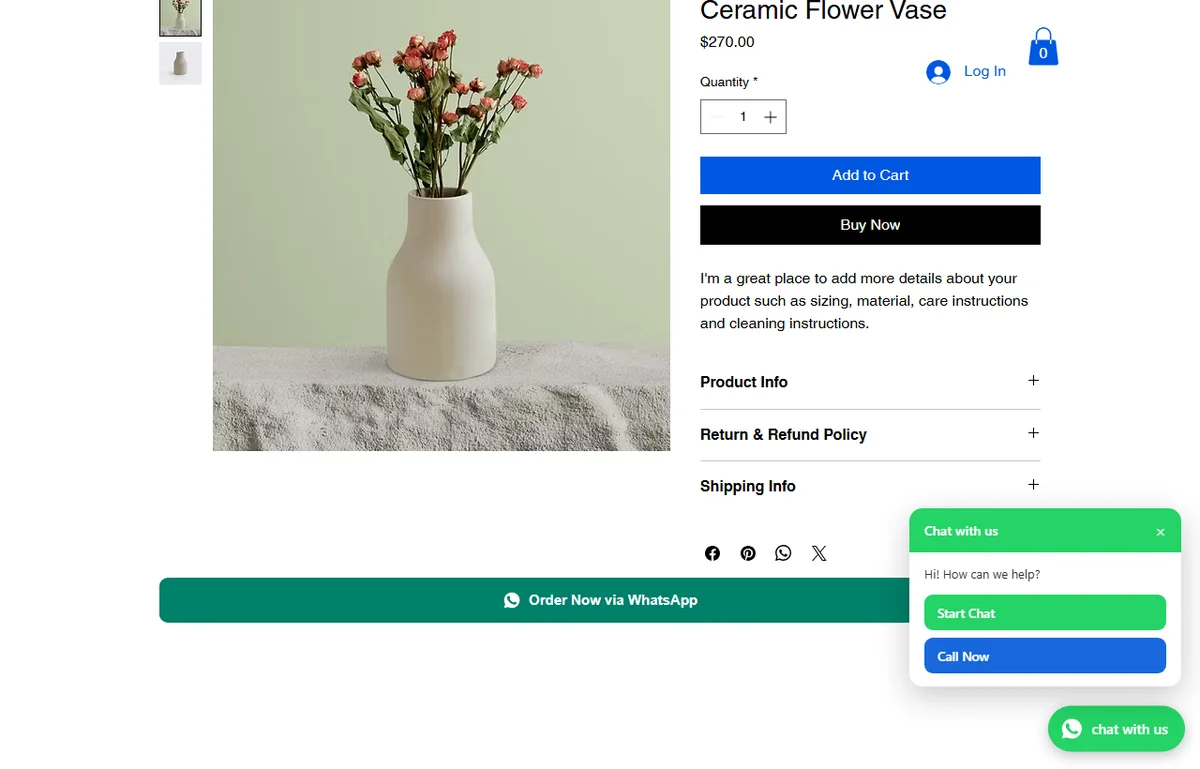
The “Order Now via WhatsApp” button sits under the product details. When a shopper taps it, WhatsApp opens on their phone or computer with a message such as “Hi! I would like to order: Ceramic Flower Vase ($270.00)” followed by the page link. The name and price are read from the page itself, so a sale price is the one sent, and if the shopper picks another size that changes the price, the message uses the new price.
What the video shows:
Video transcript
Some customers won't fill in a checkout form. They'd rather just message you. This button lets them. You add it once, in the Wix Editor. Open your product page and click the product area. Click Plugins, find Order via WhatsApp and add it. Then publish your site. Back in the app settings, you can change the button text and the first line of the message. The product name and page link are added by themselves; you never type them. Here's what your customer sees: one tap, and the chat opens with the order already written. Every tap is counted on your Leads & Clicks page, so you can see which products get orders. Next: the floating chat and call button, in your own colours.
Choose where it appears
Show the button on every product, only on products you choose, or on all products except a few. A search box handles big catalogues, and the choice is checked per product page, so a store with thousands of products does not slow down.
Make it fit your theme
Click the button in the Editor to change its style: filled, outline or soft, three sizes, square, rounded or pill corners, full or automatic width, left, centre or right, with or without the WhatsApp icon, and your site’s own font. In Settings you can change the button text and the first words of the message, in any language, for example “مرحباً، أود أن أطلب:”.
The Floating Chat and Call Button
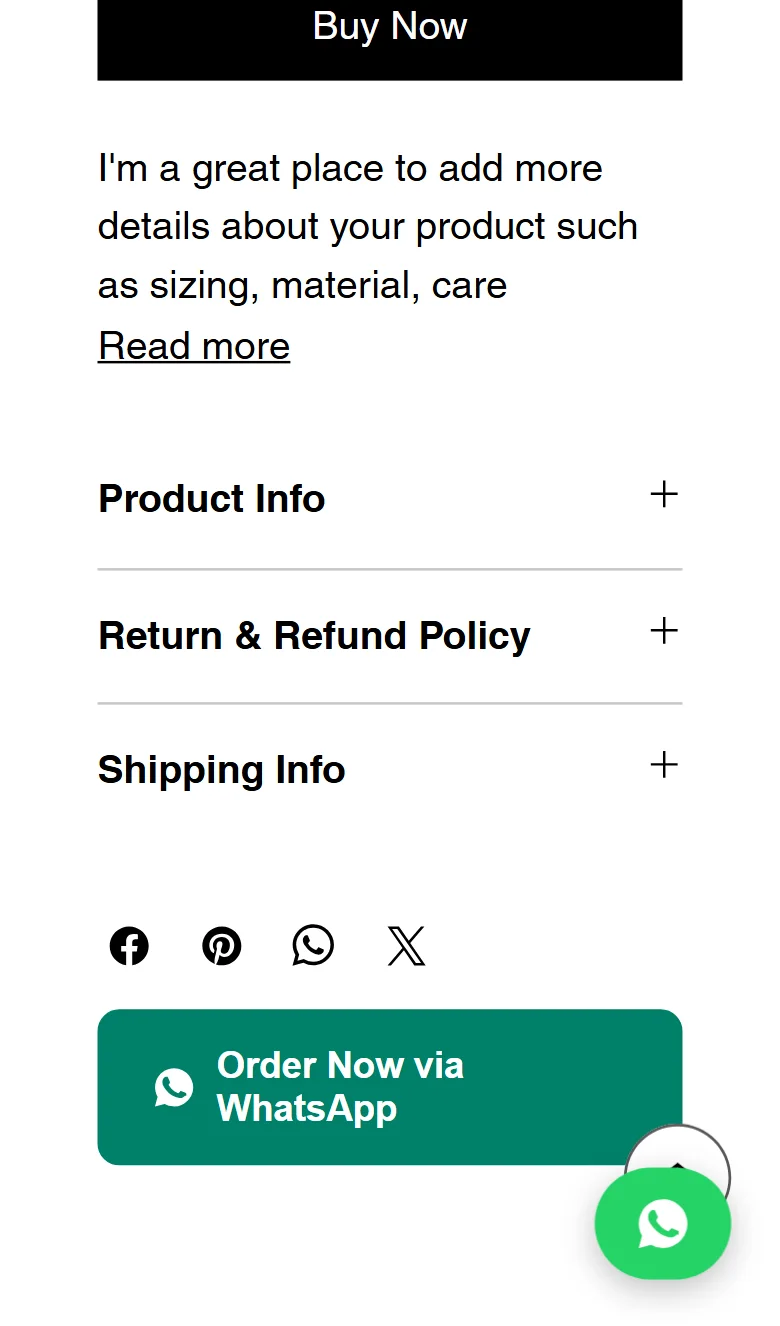
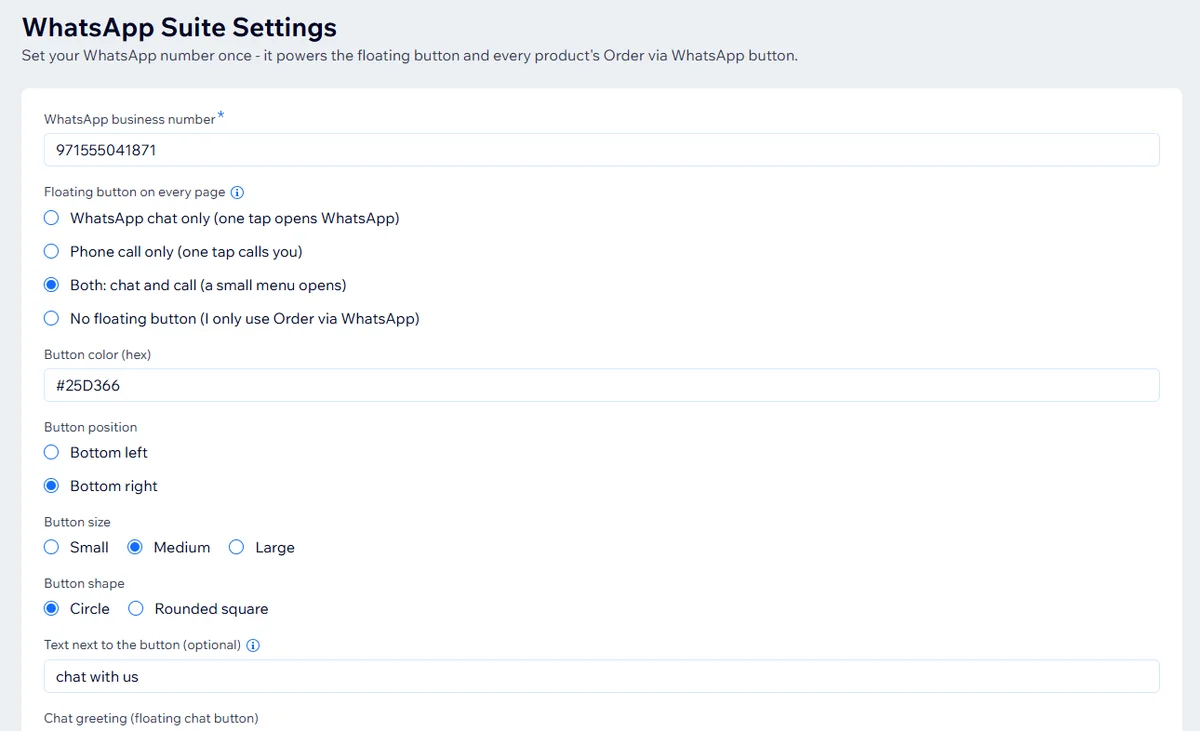
The second part is a round button that stays in the corner of every page. It can do one of four things: open a WhatsApp chat in one tap, start a phone call in one tap, show a small menu with Start Chat and Call Now, or nothing at all if you only want the order button. You set its colour, size, shape, which corner it sits in, the greeting that pre-fills the chat, and an optional label such as “chat with us” next to it.
What the video shows:
Video transcript
This little button sits on every page of your site, so visitors can reach you anytime. Pick what it does: WhatsApp chat, a phone call, or both. With both, a small menu opens. Choose your colour, left or right corner, size, and a round or square shape. Add a short text next to it, like "Chat with us", and the greeting your customers see first. Click Save & activate and check your live site. Don't want it? Choose no floating button and keep only the order button. Next: send automatic WhatsApp messages for every order.
Calls matter more than many stores expect. A shopper in Toronto or London who does not use WhatsApp can still reach you, and in markets where buyers like to hear a voice before a large order, “Call Now” closes sales that a chat would not.
Install and Set It Up
The app needs a Wix site with Wix Stores. Setup takes about five minutes.
What the video shows:
Video transcript
In 2 minutes, your Wix store will have a WhatsApp button. Here's how to set it up. Open the Wix App Market and search LeadTrapper. Click our app, then Add to Site. Now open the app settings. First, type your WhatsApp business number with the country code. Choose your floating button: chat, call or both. We'll style it in video 4. Click Save & activate. That's it: the button is now live on your site. One tip: check it on your published site. Wix doesn't show app buttons in the Editor Preview. Next video: the Order on WhatsApp button for your product pages.
1. Add the app
Open the WhatsApp Order & Chat Button by LeadTrapper on the Wix App Market and click Add to Site.
2. Enter your number and choose the button
In the app’s Settings, type your WhatsApp business number with its country code, pick chat, call, both or none for the floating button, and click Save & activate.
3. Add the order button
In the Editor, open a Product Page, open Plugins and add “Order via WhatsApp”. Click it to pick a style.
4. Publish and test
Publish, then open your live site on your phone. Wix does not run app buttons in Editor Preview, so test on the published address, not in Preview.
See Orders and Clicks
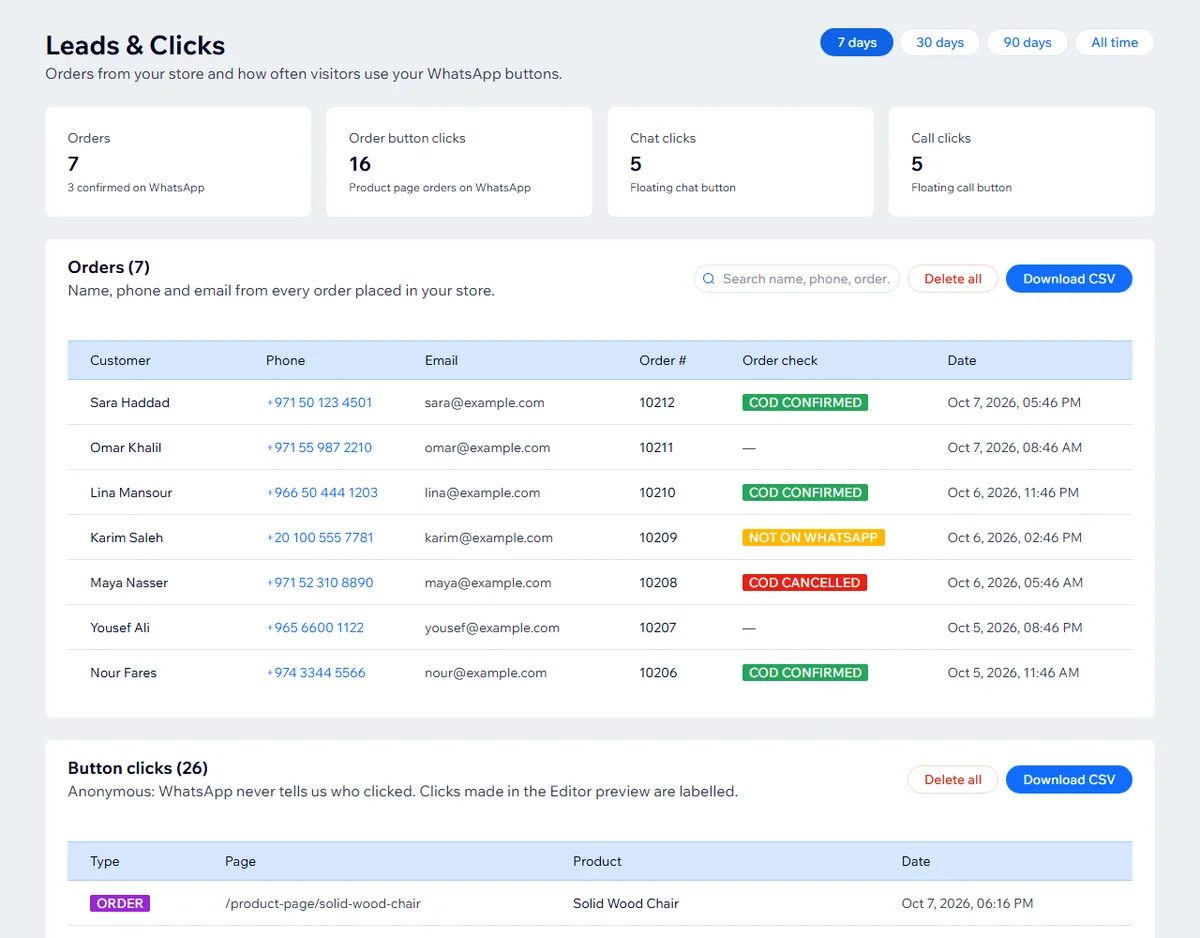
The app’s Leads & Clicks page lists the orders placed in your store with the customer’s name, phone number and email, and counts every tap on the chat, call and order buttons, with totals for the last 7, 30 or 90 days. Phone numbers open a WhatsApp chat with that customer in one click. Search, a CSV download and a Delete all button are there too, so you can hand the list to a courier or remove a customer’s data on request. Clicks are counted without knowing who clicked; WhatsApp never tells a website that.
Free Order Messages and COD Checks
The buttons work on their own. Connect the app to LeadTrapper, a free download for Windows, and your store also sends WhatsApp messages from your own number when orders arrive: an order confirmation, a payment receipt, a shipping update with the tracking link, and for cash-on-delivery orders, a question the customer answers with 1 or 2. The answer appears next to the order on the Leads & Clicks page. Before sending, LeadTrapper checks the customer’s number is on WhatsApp and flags the order if not, a common sign of a fake order.
It can also send an abandoned cart reminder on WhatsApp: when a shopper types a phone number at checkout and leaves without paying, Wix marks the checkout as abandoned after about an hour, and LeadTrapper sends one WhatsApp message with the link back to their cart. It is off until you switch it on, sends only once per cart, and is cancelled if the shopper completes the order.
All of that is free and needs no WhatsApp Business API. The WhatsApp COD order confirmation guide shows a real order going through it, and the order confirmation message templates give you wording to start from. It does need a Windows computer that is on with LeadTrapper open; orders wait for it for up to seven days.
Speed and SEO
A WhatsApp button should not cost you rankings. The order button draws itself from plain styles, with no extra fonts or image files, and keeps a fixed size so the page does not jump when it appears. In Google Lighthouse tests on our demo store on 6 October 2026, the pages scored about the same with the app on as with it switched off, on phone and desktop, with no layout shift. Links in the buttons are marked nofollow, so they do not send your site’s link value to WhatsApp.
Wix loads every app’s add-ons after its own page parts, so on a first visit the buttons appear shortly after the page. On later visits the order button appears almost at once, because the visitor’s browser remembers your settings.
Frequently Asked Questions
Install a WhatsApp app from the Wix App Market, or add a button in the Editor and link it to https://wa.me/ followed by your full number. For a store, the free WhatsApp Order & Chat Button by LeadTrapper adds an order button to product pages and a floating chat or call button to every page; you enter your number once in its Settings and click Save & activate.
Yes. The WhatsApp Order & Chat Button by LeadTrapper is free on the Wix App Market. It adds an Order via WhatsApp button to Wix Stores product pages that opens WhatsApp with the product name, price and link filled in.
Yes. Wix Chat can add WhatsApp as a channel, and the Wix App Market has many WhatsApp button apps. For ordering on WhatsApp from product pages, you need an app such as the WhatsApp Order & Chat Button by LeadTrapper.
Yes. It has no paid plan. The order button, the floating chat and call button, the orders and clicks dashboard with CSV export, and, with the free LeadTrapper app for Windows, order confirmations, cash-on-delivery checks and abandoned-cart reminders are all free.
Yes. The floating button can open a WhatsApp chat, start a phone call, or show a small menu with both. You can also turn it off and use only the order button.
Wix does not run app buttons in Editor Preview. Publish the site and open the live address to see and test the floating and order buttons.
About LeadTrapper
LeadTrapper is a Windows app for finding business leads and contacting them on WhatsApp. It collects business contacts from Google Maps, Instagram, Facebook, TikTok, LinkedIn and business websites, checks which numbers are on WhatsApp with its Number Filter, and sends personalised campaigns with automatic delays from one or more WhatsApp accounts. It also has a chatbot, a shared inbox for every account, and Store Orders for online shops. It installs from the Microsoft Store, and the full app is free for 14 days, then $50 a year. Free web tools, browser extensions and a Wix app are listed on the Free Tools page.
Add the Free WhatsApp Order Button to Wix
Order, chat and call buttons for your Wix store, an orders dashboard, and free order messages with LeadTrapper. Install it from the Wix App Market.
Related Articles
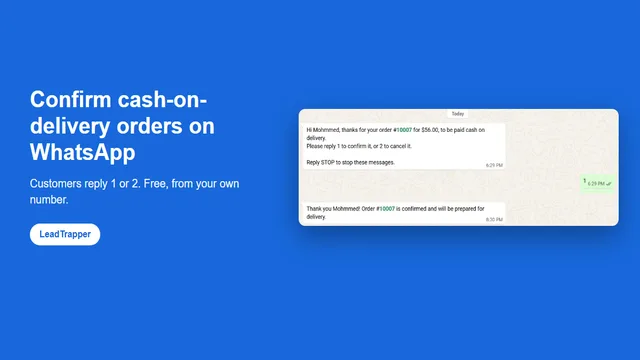
WhatsApp COD Order Confirmation: Cut Fake Orders
Confirm cash-on-delivery orders on WhatsApp: customers reply 1 to confirm or 2 to cancel, before you…
Read article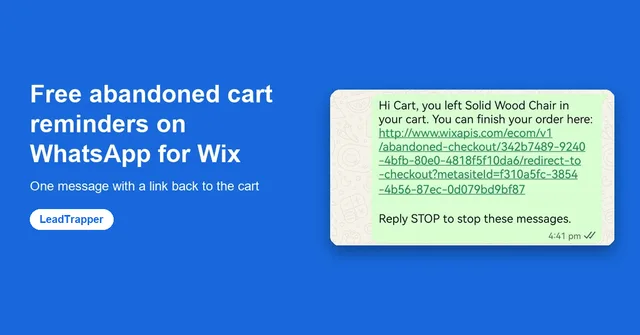
Wix Abandoned Cart WhatsApp Reminders, Free
Send one free WhatsApp reminder from your own number when a Wix shopper leaves checkout, with a link…
Read articleWhatsApp Order & Chat Button for Wix
Free order button, chat and call button and orders dashboard for Wix stores.
See the product