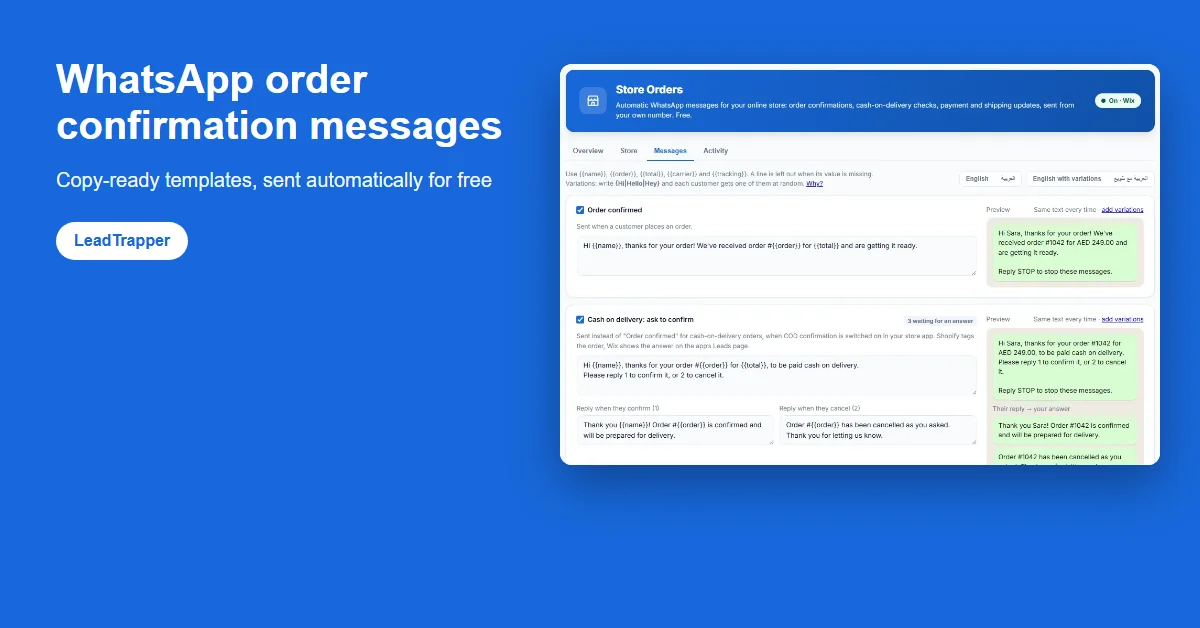
A good order confirmation says who it is from, repeats the order number and total, and says what happens next, in two or three lines. Copy-ready templates in English and Arabic are below. LeadTrapper Store Orders sends them free from your own WhatsApp number.
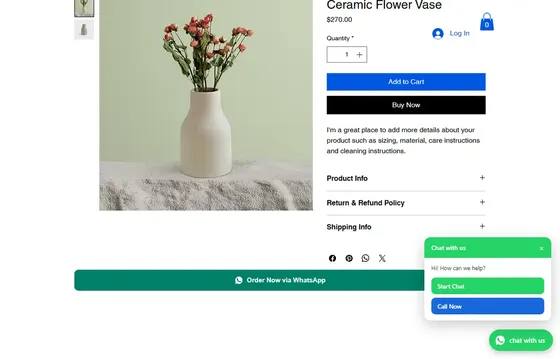

Order button on product pages, chat and call button, order messages, COD confirmation and abandoned-cart reminders.
- Order via WhatsApp button on every product page
- Floating chat and call button on your whole site
- COD confirmation and abandoned-cart reminders, free
- A good WhatsApp order confirmation says who it is from, repeats the order number and total, and tells the customer what happens next, in two or three short lines.
- Ten templates below cover order confirmed, cash on delivery (question, confirmed, cancelled), payment received and shipped, in English and Arabic.
- Placeholders such as {{name}}, {{order}}, {{total}}, {{carrier}} and {{tracking}} fill in each customer's details; variations like {Hi|Hello} vary the wording.
- LeadTrapper Store Orders sends these automatically from your own WhatsApp number for free, with no WhatsApp Business API and no template approval.
- Order messages are for your own customers about their own orders. Keep them short, end with a way to opt out, and never add promotions to them.
Below are ten WhatsApp order confirmation message templates you can copy as they are: order confirmed, cash on delivery, payment received and shipped, in English and Arabic. Each one uses placeholders such as {{name}} and {{order}}, so the same text works for every customer. You can paste them into any tool, or send them automatically and for free from your own WhatsApp number with LeadTrapper Store Orders.
What a Good Order Message Says
A customer who has just ordered reads one thing: did it work? So the first line should answer that and nothing else. A useful order confirmation does four jobs in as few words as possible: it says who is writing, repeats the order number, repeats what they will pay, and says what happens next.
What it should not do is sell. An order message that ends with “20% off your next order!” turns a helpful note into an advert, and customers notice. Keep promotions for a separate list of people who asked for them. End every order message with a way out, for example “Reply STOP to stop these messages”, and respect it.
Placeholders and Variations
The templates use double braces for details that change per order. {{name}} is the customer’s first name, {{order}} the order number, {{total}} the amount with its currency, {{carrier}} the delivery company and {{tracking}} the tracking link. LeadTrapper fills them in from the store order. When a value is missing, for example a shipment without a tracking link, the line holding it is left out instead of showing an empty gap.
Single braces with a bar make a variation: {Hi|Hello|Hey} picks one word for each customer. Order messages are sent one customer at a time, so variations matter less than in a campaign, but they keep a busy shop’s messages from looking machine-made.
Order Confirmed
1. Short and plain
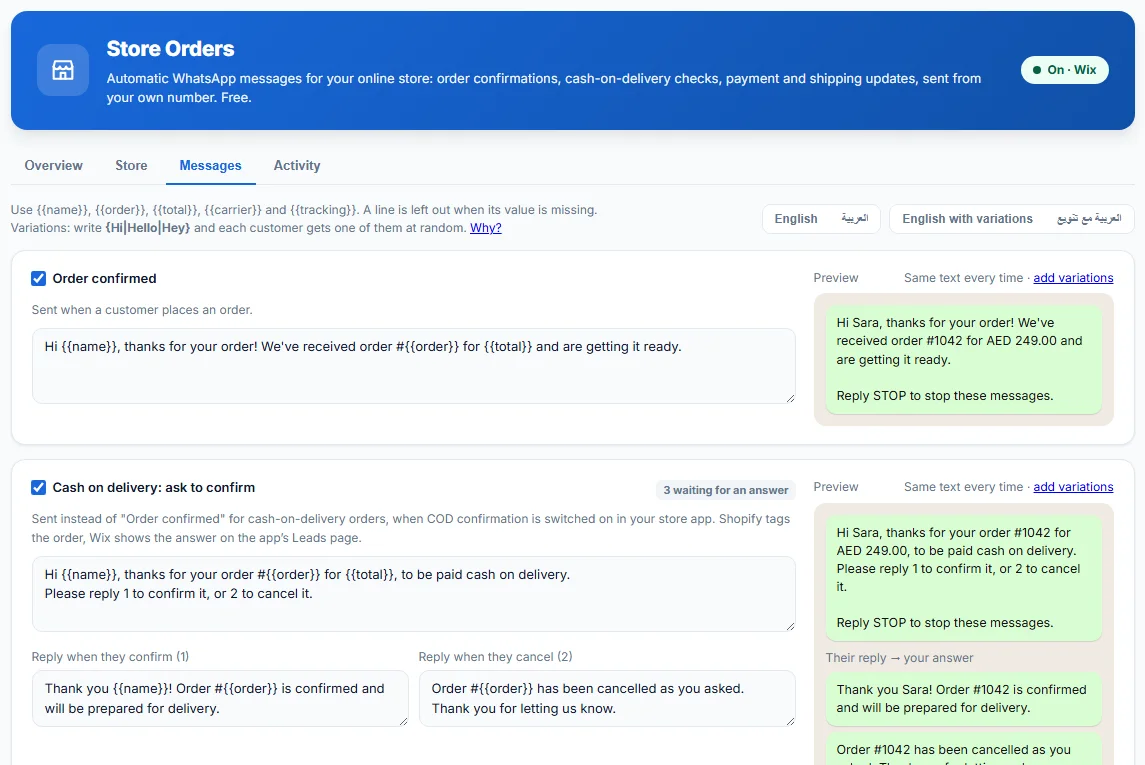
Hi {{name}}, thanks for your order! We've received order #{{order}} for {{total}} and are getting it ready.
2. With a delivery promise
{Hi|Hello} {{name}}, order #{{order}} ({{total}}) is confirmed. We'll message you here as soon as it ships.
3. For a shop with a name customers know
Thank you for shopping with us, {{name}}. Your order #{{order}} for {{total}} is in, and we're preparing it now. Questions? Just reply to this message.
The last line works because the message comes from a real WhatsApp number. A customer in Jakarta or São Paulo who wants to change a size simply answers, and the reply reaches you.
Cash on Delivery
A cash-on-delivery order needs one more step: asking the customer to confirm before you ship. The guide to WhatsApp COD order confirmation explains the whole flow; these are the three messages in it.
4. The question
Hi {{name}}, thanks for your order #{{order}} for {{total}}, to be paid cash on delivery.
Please reply 1 to confirm it, or 2 to cancel it.
5. When they confirm
Thank you {{name}}! Order #{{order}} is confirmed and will be prepared for delivery.
6. When they cancel
Order #{{order}} has been cancelled as you asked. Thank you for letting us know.
Payment and Shipping
7. Payment received
Hi {{name}}, payment for order #{{order}} is confirmed. Thank you!
8. Shipped, with tracking
Good news {{name}}! Order #{{order}} is on its way.
Carrier: {{carrier}}
Track it here: {{tracking}}
If your courier gives no tracking link, the carrier and tracking lines simply drop out and the customer still gets the first line.
Arabic Templates
For shops in Dubai, Riyadh, Cairo or Amman, an order message in Arabic reads more naturally. The placeholders stay in English letters.
9. تأكيد الطلب
مرحباً {{name}}، شكراً لطلبك! استلمنا طلبك رقم {{order}} بقيمة {{total}} ونقوم بتجهيزه الآن.
10. سؤال الدفع عند الاستلام
مرحباً {{name}}، شكراً لطلبك رقم {{order}} بقيمة {{total}}، والدفع عند الاستلام.
للتأكيد أرسل 1، أو أرسل 2 لإلغاء الطلب.
LeadTrapper adds the opt-out line in the language of the message, so an Arabic message ends with an Arabic line telling the customer how to stop. Customers can answer the COD question with Arabic numerals or words: ١ or نعم confirms, ٢ or لا cancels.
Send Them Automatically
Copying a template into WhatsApp by hand works for five orders a day. Past that, it is the job nobody gets to on time. LeadTrapper Store Orders, a free feature of the LeadTrapper app for Windows, sends these messages for you from your own WhatsApp number as orders arrive in your store: confirmation, the COD question and its two answers, payment and shipping. It needs no WhatsApp Business API, so there is no per-message fee and no template approval; the guide to WhatsApp order notifications without the API explains the difference.
How to set it up on Wix
Add the free WhatsApp Order & Chat Button by LeadTrapper from the Wix App Market, download LeadTrapper on a Windows computer and connect your WhatsApp, then paste the connection code from the Wix app into LeadTrapper’s Store Orders screen. Under Messages, pick English, Arabic or the versions with variations, edit them, and watch the preview. The guide to the WhatsApp order button for Wix covers the store side step by step.
What the video shows:
Video transcript
Every new order can get a WhatsApp message from your own number: order received, payment confirmed and shipped. The messages are sent by LeadTrapper, a free app for Windows. Store Orders stays free even after the trial. In the Wix app settings, click Generate Connection Code and copy it. In LeadTrapper, open Store Orders, paste the code, tick "Send order messages automatically" and save. Back in Wix, click Connect WhatsApp and scan the QR code with the phone you sell from. Keep LeadTrapper open on your computer. While it's closed, messages wait safely and go out when you open it. To keep your number safe, it sends at most 40 messages an hour and 300 a day. You can change that. You can edit every message, in English or Arabic, with the customer's name and order number filled in. Place a test order and watch the message arrive. Next video: confirming cash-on-delivery orders.
Two limits are worth knowing. The computer has to be on with LeadTrapper open for messages to go out; orders that arrive meanwhile wait for up to seven days, and a confirmation more than two days old is skipped. And your own number does the sending, so Store Orders caps it at 40 messages an hour and 300 a day per number by default, a limit you can lower or share across several numbers.
Frequently Asked Questions
Your shop's name or the customer's name, the order number, the total, and what happens next, such as when it will ship. Two or three short lines are enough. Add a way to stop the messages, such as 'Reply STOP to stop these messages'.
Yes. LeadTrapper Store Orders, a free feature of the LeadTrapper Windows app, sends order confirmation, cash-on-delivery, payment and shipping messages from your own WhatsApp number when an order arrives in your store. It works with the free WhatsApp Order & Chat Button app by LeadTrapper for Wix.
Only on the WhatsApp Business API, where Meta reviews message templates before you can send them. Messages sent from your own WhatsApp account, as LeadTrapper does, need no template approval.
Yes. The Arabic templates below can be pasted as they are, and LeadTrapper includes ready-made Arabic messages. When a message is in Arabic, the opt-out line is added in Arabic too.
A template is the whole message with placeholders such as {{name}}. A variation is a choice inside it, written as {Hi|Hello|Hey}, so each customer gets one of the options at random and the messages are not all identical.
About LeadTrapper
LeadTrapper is a Windows app for finding business leads and contacting them on WhatsApp. It collects business contacts from Google Maps, Instagram, Facebook, TikTok, LinkedIn and business websites, checks which numbers are on WhatsApp with its Number Filter, and sends personalised campaigns with automatic delays from one or more WhatsApp accounts. It also has a chatbot, a shared inbox for every account, and Store Orders for online shops. It installs from the Microsoft Store, and the full app is free for 14 days, then $50 a year. Free web tools, browser extensions and a Wix app are listed on the Free Tools page.
Send These Order Messages Automatically, Free
Add the free WhatsApp Order & Chat Button by LeadTrapper to your Wix store and turn on order messages in the free LeadTrapper app for Windows. No Business API, no per-message fees.
Related Articles
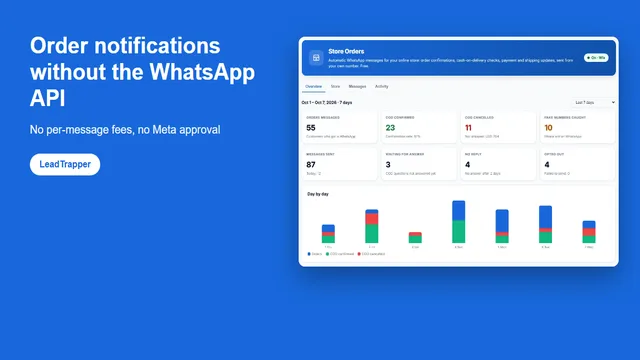
WhatsApp Order Notifications Without the API (Free)
Send WhatsApp order notifications without the Business API: no per-message fees, no Meta approval, n…
Read article
How to Add a WhatsApp Order Button to Wix
Add a free WhatsApp order button to Wix product pages and a floating chat or call button to your sit…
Read articleWhatsApp Order & Chat Button for Wix
Free order button, chat and call button and orders dashboard for Wix stores.
See the product