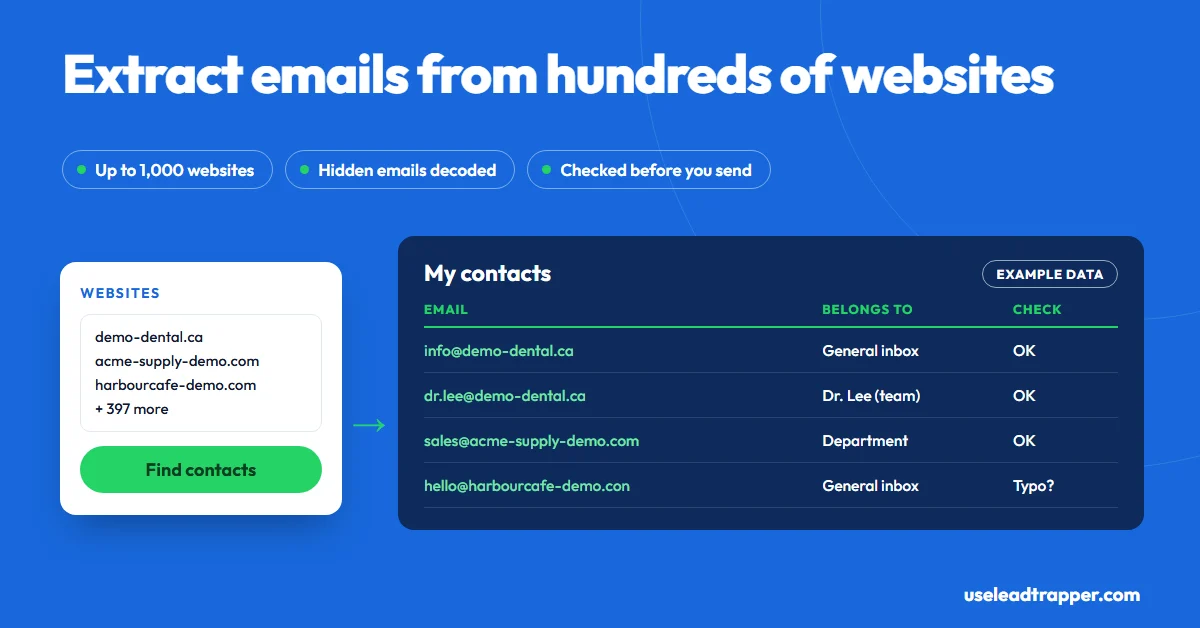
A bulk email extractor takes a list of website addresses and returns the emails each site publishes. LeadTrapper's Email Finder takes up to 1,000 websites per run, pasted or loaded from Excel or CSV, reads each site's contact, team and branch pages, decodes hidden addresses, and labels every email as a general inbox, department, team member or branch.
- A bulk email extractor reads many websites in one run and collects the addresses they publish. It can't find an email a site doesn't show.
- LeadTrapper's Email Finder takes up to 1,000 websites per run, pasted one per line or loaded from an Excel, CSV or text file, with duplicates removed.
- Beyond the home page, it reads each site's contact, team and branch pages, or up to 12 extra pages in Deep mode, and opens sites that block simple requests in a hidden browser.
- It decodes addresses written as 'name [at] site [dot] com' and those hidden by Cloudflare's email protection, and drops no-reply addresses and image file names that look like emails.
- Every email is labelled as a general inbox, department, team member or branch, typos like '.con' are flagged, and Check emails marks domains that can't receive mail.
A bulk email extractor takes a list of website addresses and gives you back every email those websites publish, in one run instead of one site at a time. LeadTrapper’s Email Finder takes up to 1,000 websites per run. It reads each site’s contact, team and branch pages, decodes addresses hidden from robots, and labels every email as a general inbox, a department, a team member or a branch. This guide covers where a good URL list comes from, what the extractor returns, and how to clean the result before you send anything.
What a Bulk Email Extractor Does
Most “email extractors” read one thing: the page in front of you, or text you paste. That’s fine for a single contact page. It’s useless when you have a spreadsheet of 400 supplier websites and need an address for each.
A bulk extractor works from the list. For each website it loads the home page, finds the pages where businesses usually put contacts, reads them, and moves on, while you do something else. The difference between a basic one and a good one is what it reads and what it throws away: whether it opens the Team page or stops at the footer, and whether it keeps “noreply@” and “logo@2x.png” in your results.
Where Your List of Websites Comes From
The extractor is only as good as the list you give it. Common sources:
- Your own data: customers who went quiet, trade show exhibitors, a supplier directory you bought.
- Google Maps: businesses of one type in one city, with their websites. LeadTrapper’s Google Maps scraper collects them by search, and in a real test of dentists in Amman, 69% of 160 businesses listed a website.
- LinkedIn prospects: the employers of the people on your list. Our guide to finding an email from a LinkedIn profile covers that route, and LeadTrapper’s LinkedIn scraper builds the list of people by role and city.
- Industry directories: member lists of associations and chambers of commerce, which usually link each member’s site.
If you don’t have a list at all, the Email Finder’s Search & find mode builds one for you: type a business type and a city, such as “accountant” and “Manchester”, and it finds the businesses on Google Maps first, then reads each one’s website.
Running a Bulk Extraction
- Open Website Contact Finder in LeadTrapper (the app’s name for the Email Finder) and choose My websites.
- Paste your websites, one per line, or load an Excel, CSV or text file. Duplicates are removed, and the order is kept.
- Choose how deep to read: home page only, home page plus contact, team and branch pages, or Deep with up to 12 extra pages per site.
- Press Find contacts. It reads four websites at a time from your own computer. A site that refuses plain requests, or builds its pages with scripts, is opened in a hidden browser instead.
- Watch the results fill My contacts, then download Excel or CSV.
Search engines, social networks and review sites in your list are skipped, because they aren’t the business’s own website. LeadTrapper has separate tools for those, such as the Instagram scraper.
What Comes Back
Every email, plus every other way to reach the business:
| Found | Detail |
|---|---|
| Emails | Each labelled general inbox, department, team member (with name) or branch (with branch name) |
| Hidden emails | Addresses written as “info [at] site [dot] com” and those behind Cloudflare’s email protection are decoded |
| Phone and WhatsApp | In international format, labelled person, branch or company |
| Addresses | Office and branch addresses with a map link |
| Social profiles | With their handles |
| Contact form | The form’s page, as its own row, when a site has no email |
It leaves out what pollutes most scraped lists: no-reply addresses, image file names that look like emails, placeholder addresses such as name@example.com, and fax numbers. Results go into one list that keeps growing between runs without duplicates, where you can filter, search, and mark each contact as Contacted, Replied, Not interested or Customer.
Cleaning the List Before You Send
Bounces hurt your sending reputation, so check before the first email goes out:
- Typos are flagged as it collects. Addresses like “gmial.com” or ending in “.con” get a note with the likely fix, and throwaway inboxes from temporary-email services are marked.
- Check emails asks Cloudflare’s public DNS whether each domain has a mail server. A domain that doesn’t exist, or can’t receive mail, is marked “Will bounce”. Only domain names are sent, never the full addresses.
No tool reading public data can prove one person’s inbox exists, so treat “OK” as “this domain accepts email”. For the rest of the clean-up, our guide to cleaning a contact list before a campaign walks through it.
Extensions, Online Tools and Desktop Apps
| Approach | Input | Cost | Notes |
|---|---|---|---|
| Online “extract emails from text” tools | Text you paste | Free | You still have to collect the text |
| Browser extensions | The page you have open | Often free | One page or one site at a time |
| Contact Finder extension | Websites you open or list | Free | Runs in your browser; no Maps search, no WhatsApp |
| LeadTrapper Email Finder | Up to 1,000 websites, or a business type and city | $50/year, all features | Windows app; labels, checks, no credits; numbers load into WhatsApp |
If you need named executives at large companies, an email database will find more people. If you sell to local businesses, the business’s own site usually holds the better address, and often a WhatsApp number no database has. Our guide to finding business email addresses compares both approaches.
Using the Emails Responsibly
A published address is an invitation to contact the business about its business. In the US, the CAN-SPAM Act requires your identity, an honest subject line, your postal address and a working opt-out. In the EU and UK, a named person’s work email is personal data under the GDPR and the ePrivacy rules, so keep the message relevant and make objecting easy. General inboxes such as info@ carry less risk than named ones. This isn’t legal advice.
LeadTrapper doesn’t send emails itself: download the list for your email tool. The phone and WhatsApp numbers it found can go straight into the WhatsApp bulk sender, after the WhatsApp Number Filter removes the ones that aren’t on WhatsApp.
Frequently Asked Questions
A tool that reads many web pages or websites in one run and collects every email address on them into a list. The good ones also read the pages where contacts usually live, such as Contact and Team, remove duplicates and junk, and let you download the result as Excel or CSV.
Yes. In LeadTrapper's Email Finder you paste up to 1,000 websites, one per line, or load them from an Excel, CSV or text file. It reads each website and saves every email, phone and WhatsApp number, address and social profile it publishes into one list.
Most free browser extensions extract emails from the page you have open, and some free websites extract emails from text you paste. Our free Contact Finder extension also reads a list of websites you paste, in your browser. The LeadTrapper app isn't free: it costs $50 a year with every feature, after a 14-day free trial, and has no per-site credits.
Reading addresses a business publishes is generally allowed, but using them is regulated. In the US, CAN-SPAM requires your identity, honest subjects and a working opt-out. In the EU and UK, a named person's work email is personal data under the GDPR, so you need a legitimate reason and a relevant message. This isn't legal advice.
Because many small businesses publish none, only a contact form or a phone number. LeadTrapper doesn't guess an address. It saves the contact form's page as its own row, along with any phone and WhatsApp numbers and social profiles the site does show.
About LeadTrapper
LeadTrapper is a Windows app for finding business leads and contacting them on WhatsApp. It collects business contacts from Google Maps, Instagram, Facebook, TikTok, LinkedIn and business websites, checks which numbers are on WhatsApp with its Number Filter, and sends personalised campaigns with automatic delays from one or more WhatsApp accounts. It also has a chatbot, a shared inbox for every account, and Store Orders for online shops. It installs from the Microsoft Store, and the full app is free for 14 days, then $50 a year. Free web tools, browser extensions and a Wix app are listed on the Free Tools page.
Paste Your List of Websites, Get Every Email They Publish
The Email Finder, Google Maps scraper and WhatsApp bulk sender all come with LeadTrapper. $50/year — all features included.
Related Articles
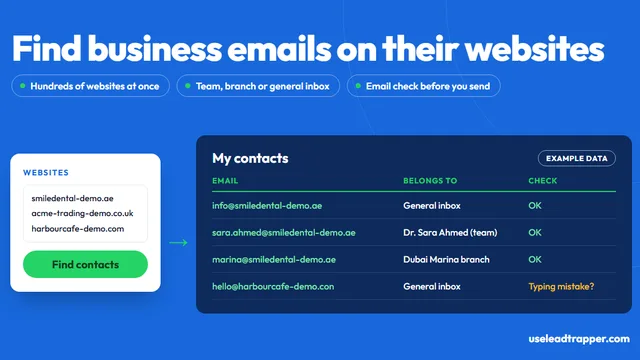
How to Find Business Email Addresses From Websites
Where businesses publish their emails, how to find them by hand, and how to collect them from hundre…
Read article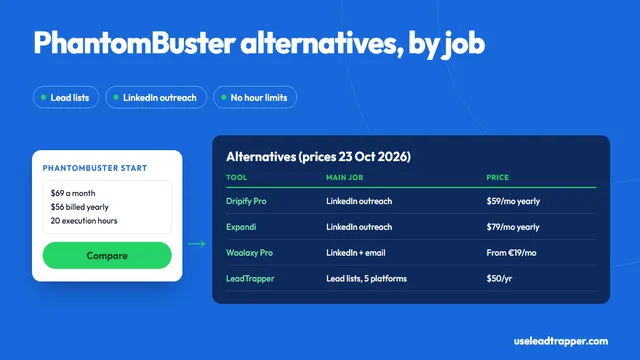
PhantomBuster Alternative: Lead Lists Without Hour Limits
PhantomBuster alternatives compared: Start, Grow and Scale prices, tools for its LinkedIn automation…
Read articleEmail Finder for Business Websites
Every email, phone and WhatsApp number hundreds of websites publish, labelled and checked.
See the product