LeadTrapper works out a delay range from your campaign's message count, accounts, batch size and target hours, and Campaign Builder requires it before a campaign can send. A free version is available as a Microsoft Edge extension. Delays work alongside message variation, not instead of it.
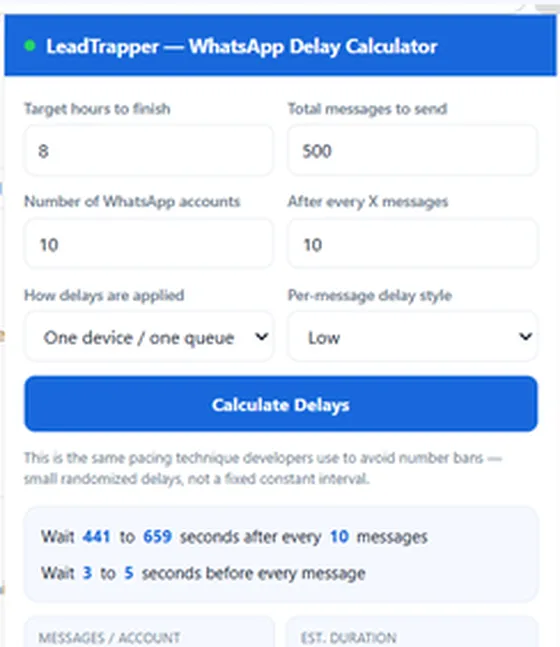

Work out safe delays between WhatsApp messages from how many you send, how many accounts you use and when you need to finish.
- Safe delays from your messages, accounts and hours
- A pause before every message and after every batch
- Free, no sign-up
- LeadTrapper's Delay Calculator computes a delay range from your actual campaign numbers — target hours, message count, account count, and batch size — not a fixed guess like 'wait 5 to 10 seconds.'
- Campaign Builder requires running the calculator at least once before a campaign can send, and the resulting delay fields are read-only afterward — they can't be hand-edited back to something unsafe.
- The math targets finishing at or slightly after your target time, never under it, using randomized min/max ranges rather than one fixed interval.
- A free standalone version of the same calculator is available as a Microsoft Edge extension, for planning a campaign's timing before you've even opened LeadTrapper.
- Delay alone isn't a complete safety strategy — it works alongside message variation and multi-account rotation, not instead of them.
“Wait 5 to 10 seconds between messages” is the kind of advice that sounds like a safety rule but isn’t actually calculated from anything. Whether that gap is safe depends entirely on how many messages you’re sending and over what timeframe — 500 messages at a flat 8-second gap takes over an hour, but 5,000 messages at the same gap takes half a day, and neither number tells you whether that’s a reasonable pace for the accounts involved. LeadTrapper’s Delay Calculator computes the actual answer from your real numbers instead of reusing a generic rule of thumb. Here’s exactly how, verified against the calculation itself.
Why a Fixed Delay Isn't the Same as a Safe One
A flat, unchanging interval is itself a pattern — sending exactly every 7 seconds for hours looks as mechanical as sending with no gap at all, just slower. Real pacing needs two things a single fixed number can’t provide: a randomized range instead of one constant value, and a pace that’s actually derived from the size of the campaign rather than picked arbitrarily. A calculator that only knows “seconds between messages” and nothing about how many messages or how long the campaign should take can’t tell you whether that number is remotely reasonable for what you’re about to run.
What Actually Goes Into the Calculation
Five inputs feed the calculation: how many hours you want the campaign to take, the total number of messages, how many WhatsApp accounts are sending, how delays are applied — one shared queue on a single device, or each account sending in parallel — and how often to insert a longer pause after a batch of messages. From those, it works out two separate randomized ranges: a short delay before each individual message, and a longer delay after every batch, sized so the campaign lands at or slightly after your target time rather than finishing early by cutting delays short. A “Low” style keeps per-message delays small and leans on the batch pause to absorb most of the timing; a “High” style does the opposite, spreading more of the wait into every single message. If your numbers don’t leave room for a sensible batch pause — very few messages over a long timeframe, for instance — the calculator folds everything into the per-message delay instead of producing a nonsensical batch value, and flags the resulting pace with a warning if it ends up unusually slow.
A Worked Example
Take a real, ordinary campaign: 500 messages, 10 connected accounts, an 8-hour target, batching every 10 messages, on the “Low” style. Run through the calculator, and it comes back with roughly 3 to 5 seconds before every message, and 7 to 11 minutes after every batch of 10 — spreading 50 messages per account across the full 8 hours instead of front-loading them. Change only the message count down to 5, keeping everything else the same, and the same calculator returns a completely different shape: with so few messages spread across the same 8 hours, there’s no sensible batch pause left to lean on, so it folds the entire wait into the per-message delay instead — several thousand seconds between each of the 5 messages — and flags that the resulting pace is unusually slow. Same inputs structure, same formula, genuinely different output, because the right pacing for 500 messages and for 5 aren’t the same number scaled down.
Why Campaign Builder Won't Let You Skip It
The calculated delay fields in Campaign Builder are read-only — they can only be set by running the calculator and applying its result, not typed in directly. Campaign Builder also won’t let a campaign start at all until the calculator has been run at least once; trying to send without it opens the calculator automatically instead of proceeding. That’s a deliberate design choice, not an oversight: a safety calculation that can be typed over with any number a person feels like entering isn’t really a safety mechanism, it’s a suggestion. Making the field read-only closes that gap specifically.
The Same Calculator as a Free Browser Extension
The exact same math is also available as a free, standalone browser extension — the WhatsApp Delay Calculator for Microsoft Edge — for anyone who wants to plan a campaign’s timing before deciding on a sending tool, or without installing anything at all. It runs the identical calculation entirely in the browser, with nothing sent anywhere; the only difference from the in-app version is that Campaign Builder applies its result directly to a real campaign, while the extension just shows you the numbers.
How to Use the Extension, Step by Step
Open the extension from the Edge toolbar and fill in six fields: the hours you want the campaign to take, the total number of messages, the number of WhatsApp accounts, how often to insert a longer pause (after every so many messages), how delays are applied (one device and one queue, or each account in parallel), and the per-message style, which is Low, Balanced or High. Press Calculate Delays.
It answers with the range to wait before every message and the range to wait after every batch, plus the messages per account, the estimated duration, the average interval and the messages per hour. That last figure is just your message count divided by your target hours.
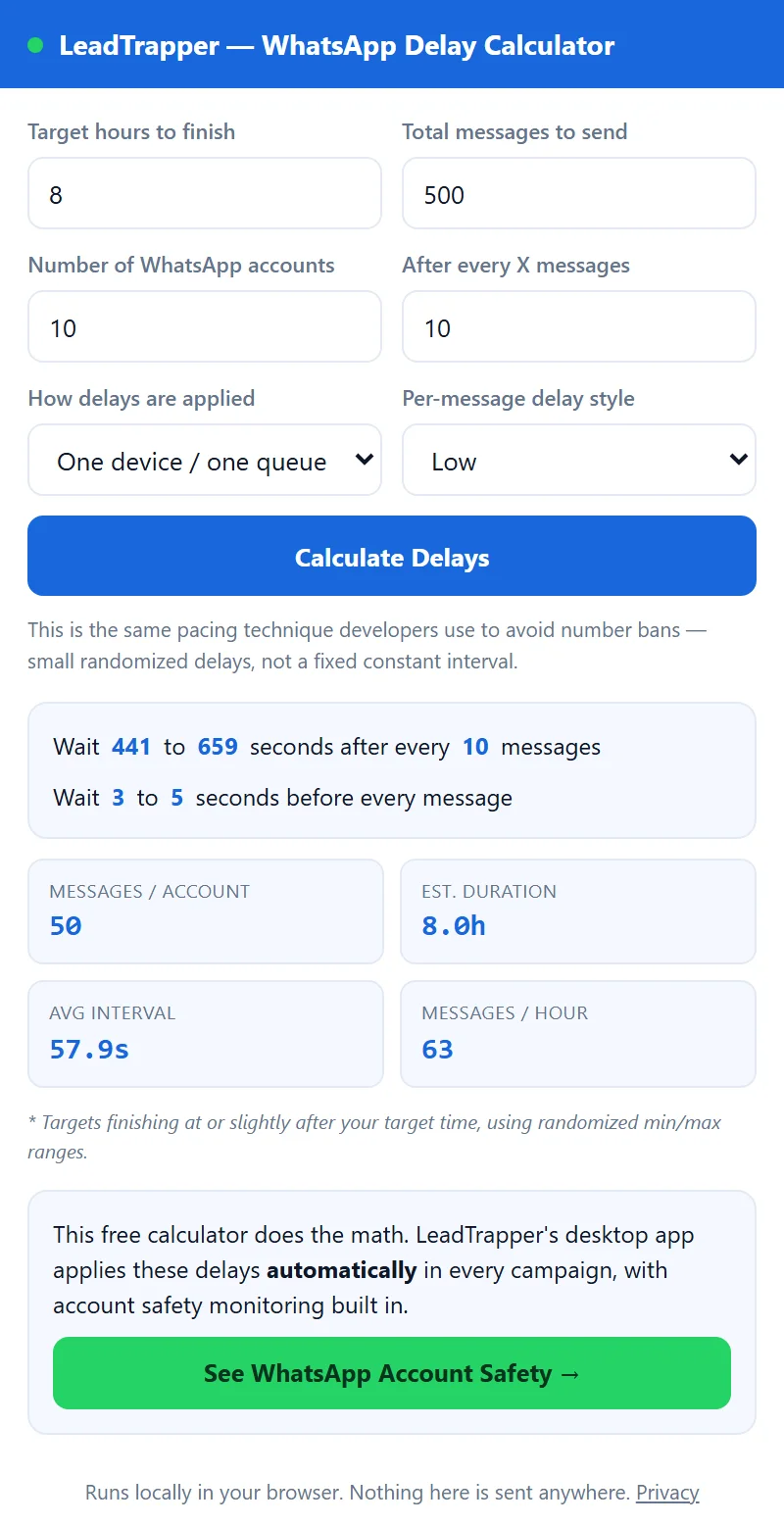
We ran two campaigns through the extension itself on 25 September 2026:
| Campaign | Before each message | After each batch | Messages per hour |
|---|---|---|---|
| 500 messages, 10 accounts, 8 hours, pause every 10, one queue, Low | 3 to 5 seconds | 441 to 659 seconds (about 7 to 11 minutes) | 63 |
| 200 messages, 1 account, 4 hours, pause every 20, one queue, Balanced | 9 to 13 seconds | 1,092 to 1,636 seconds (about 18 to 27 minutes) | 50 |
The second row shows why a batch pause can be long. Two hundred messages over four hours is a slow pace, and most of the waiting has to go somewhere.
The Delay Calculator on PC: Inside the Windows App
LeadTrapper is a Windows app, so this is also the WhatsApp delay calculator for PC. In the left menu, open WhatsApp, then Delay Calculator. The fields and the arithmetic are the same as in the extension. We compared the two and the calculation is identical. What the app adds is the step after the numbers: press Apply Message Delay to Campaign Builder and the result fills in the delay settings of a real campaign.
That is also the step Campaign Builder waits for. If you try to start a campaign before applying a calculation, it opens the calculator instead of sending. The app costs $50 a year with a 14-day free trial, and you can download LeadTrapper for Windows to try it on a small batch first. For how the sender itself works, see the WhatsApp bulk sender guide.
What Delay Alone Doesn't Solve
Pacing addresses one specific pattern — a fixed, predictable sending rate — and it’s meant to work alongside other mechanisms, not replace them. Sending identical text to hundreds of contacts is still a distinct risk even at a perfectly calculated pace, which is what spin syntax and message variation exist for. A brand-new number with no history is a different risk again, addressed by warming it up before a campaign ever starts, not by timing alone. And none of these mechanisms override how WhatsApp’s own enforcement actually responds to real recipients — a well-paced campaign sent to a list that doesn’t want to hear from it can still get reported, the same limit that applies regardless of how the message was sent, official WhatsApp Business Platform API included.
Frequently Asked Questions
Given your target campaign duration, total message count, number of connected WhatsApp accounts, and batch size, it computes a randomized safe delay range for both individual messages and pauses after each batch — sized so the campaign finishes on schedule without sending at a fixed, predictable interval.
No, not in LeadTrapper's Campaign Builder. The delay fields are read-only and only get set by running the calculator and applying its result — they can't be hand-edited afterward, so a campaign can't accidentally run on unsafe values someone typed in without thinking about it.
Yes — the same calculation is available as a free standalone browser extension on Microsoft Edge Add-ons, useful for planning a campaign's timing even before deciding on a sending tool.
Open the extension and enter the hours you want the campaign to take, the total messages, how many WhatsApp accounts send, how often to pause, how delays are applied and the per-message style. Press Calculate Delays. It returns a delay range before each message, a longer range after each batch, and the messages per hour.
In the left menu under WhatsApp, choose Delay Calculator. Fill in the same fields, press Calculate, then press Apply Message Delay to Campaign Builder. Campaign Builder will not start a campaign until you have done this once, and the delay fields there are read-only.
No. It reduces one specific risk — sending at a fixed, predictable rate — but it isn't a complete safety strategy by itself. It's meant to work alongside message variation and multi-account rotation, not replace them.
About LeadTrapper
LeadTrapper is a Windows app for finding business leads and contacting them on WhatsApp. It collects business contacts from Google Maps, Instagram, Facebook, TikTok, LinkedIn and business websites, checks which numbers are on WhatsApp with its Number Filter, and sends personalised campaigns with automatic delays from one or more WhatsApp accounts. It also has a chatbot, a shared inbox for every account, and Store Orders for online shops. It installs from the Microsoft Store, and the full app is free for 14 days, then $50 a year. Free web tools, browser extensions and a Wix app are listed on the Free Tools page.
Calculate Your Campaign's Safe Delay Before You Send
LeadTrapper's Delay Calculator runs before every campaign automatically. $50/year — all features included.
Related Articles
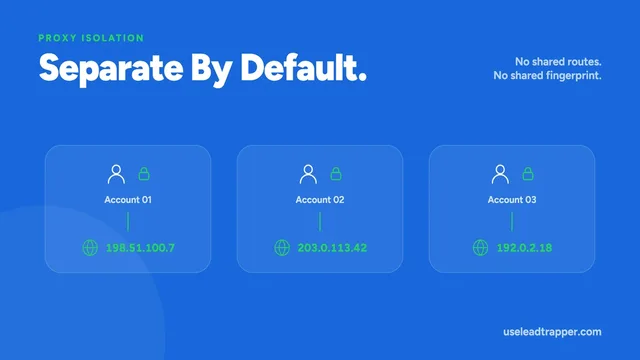
Running Multiple WhatsApp Numbers Without Overlap
Each WhatsApp account in LeadTrapper gets its own isolated browser session and proxy, so multiple nu…
Read article
What "Ghost Chatting" Actually Does During a Campaign
Ghost Chatting opens an unrelated chat and scrolls it every 12 to 18 sends — a real anti-fingerprint…
Read articleWhatsApp Account Warmer
Your own accounts chat with each other to build real history before a campaign.
See the product